GW3JVB GW3JVB Software

Windows 11 radio controller

RigOne app icon

RigOne

Latest version: v1.1.10

A focused Windows 11 radio controller for direct IC-7300 use and Hamlib-supported radio testing.

RigOne puts the controls most useful at the desk in one clean place: tune, follow the VFO, watch the meter and scope, manage audio, and operate the radio without unnecessary clutter. Direct IC-7300 control has been tested with a real radio over USB/COM CI-V, while Hamlib support opens the door to wider transceiver compatibility where each radio backend provides the required features.

It doesn't do everything. It does what you need.

At a glance

  • Made for Windows 11, with direct IC-7300 control tested on a real radio.
  • Direct USB/COM CI-V control, plus Hamlib support for wider radio compatibility.
  • Frequency, mode, VFO, audio, PTT, signal display and scope tools where available.
  • Free to use, built and supported by GW3JVB.
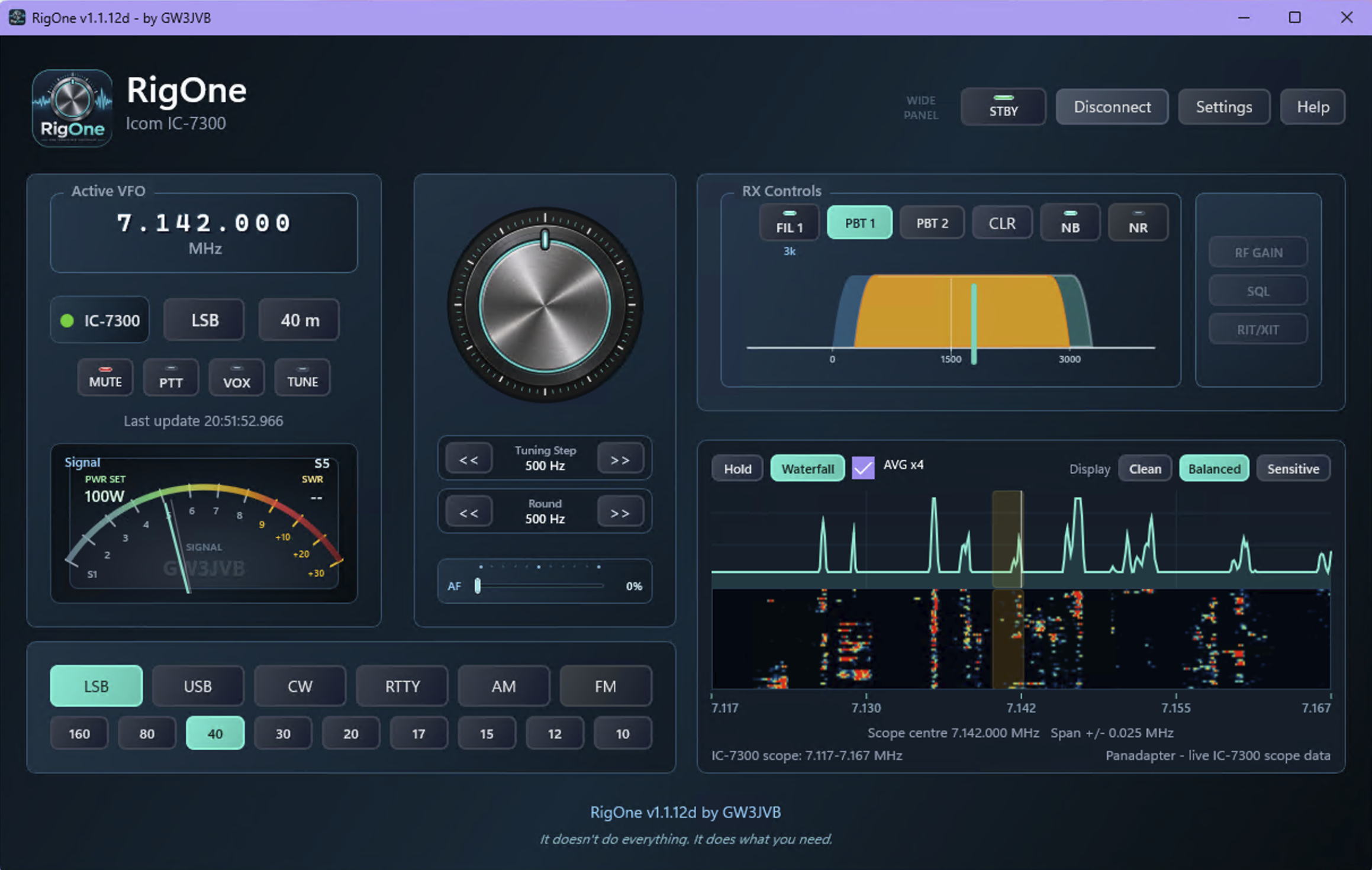
RigOne v1.1.10 full panel with RX Controls, analog signal meter and live IC-7300 waterfall
Direct controlIC-7300 USB/COM CI-V, tested with a real radio.
HamlibSupport included, with features depending on each radio backend.
ScopeDirect IC-7300 control offers the fullest panadapter and waterfall view.
What RigOne does

Focused controls for the station desk.

RigOne is deliberately not an attempt to recreate every radio application in existence. It brings together the everyday controls and live information that are useful while operating, with available features shaped by the selected control method and radio.

Tune and follow

  • Frequency read and write
  • Mode read and write
  • VFO follow from the connected radio
  • Quick mode and band selectors from the VFO display

Operate with confidence

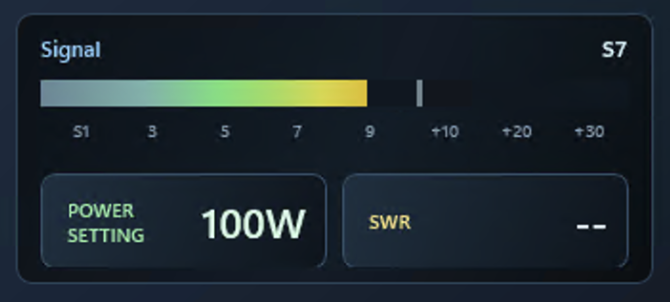
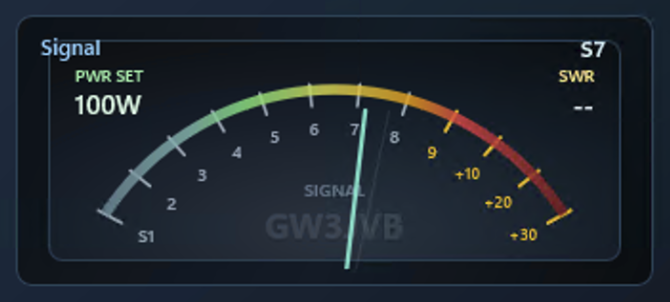
  • Switchable analog-style or horizontal-bar signal meter
  • Signal meter changes to RF output while transmitting
  • Mute, PTT and VOX together in the main operating panel
  • Embedded LED-style indicators show their live state
  • Native IC-7300 VOX control, plus AF gain slider
  • NB and NR toggles with live state indication
  • Connection status shown at a glance

RX Controls and scope

  • Panadapter from live IC-7300 scope data with direct IC-7300 control
  • Integrated waterfall where the selected control method provides the data
  • Hover frequency badge and a short teal click marker when tuning from the scope
  • FIL, NB and NR grouped together in the new RX Controls section
  • IC-7300 Twin PBT controls and current filter bandwidth readout
  • Region-aware amateur band display and useful visual feedback while tuning

New in v1.1.10

Receiver controls with a clearer picture of the passband.

v1.1.10 is a substantial receiver-controls update for direct IC-7300 use. Twin PBT, real filter bandwidths and the live scope now work together so it is easier to see and adjust what the receiver is doing.

Twin PBT, made visual

  • New native IC-7300 Twin PBT controls in RX Controls
  • Visual overlap display for PBT 1 and PBT 2
  • Click and drag to adjust, with a centre/reset button
  • Compact readout of the current filter bandwidth

Scope and filter feedback

  • Receive passband overlay on the panadapter and waterfall
  • RigOne reads the real FIL 1, FIL 2 and FIL 3 widths for the current mode
  • FIL, NB and NR moved together into RX Controls
  • Right-click level adjustment flyouts for NB and NR where supported

Steadier station feedback

  • Connection loss keeps the last VFO and scope context visible
  • Meters reset safely and the scope is clearly marked as no longer live
  • Improved panadapter and waterfall feedback from VFO digit clicks
  • Small polish touches around footer sizing, dial spacing and RX Controls alignment
With thanks: Peter Reichert, DL3KVT, suggested the IC-7300 power/standby support and the receiver passband and Twin PBT improvements. David Donnelly suggested a TUNE control and reported the Active VFO mouse-button tooltip issue.

App preview

Choose a panel layout that fits your operating style.

RigOne can now run Full, Focused, Compact or Custom panel layouts. The controls stay practical and familiar, while the screen can take up only as much room as you want it to.

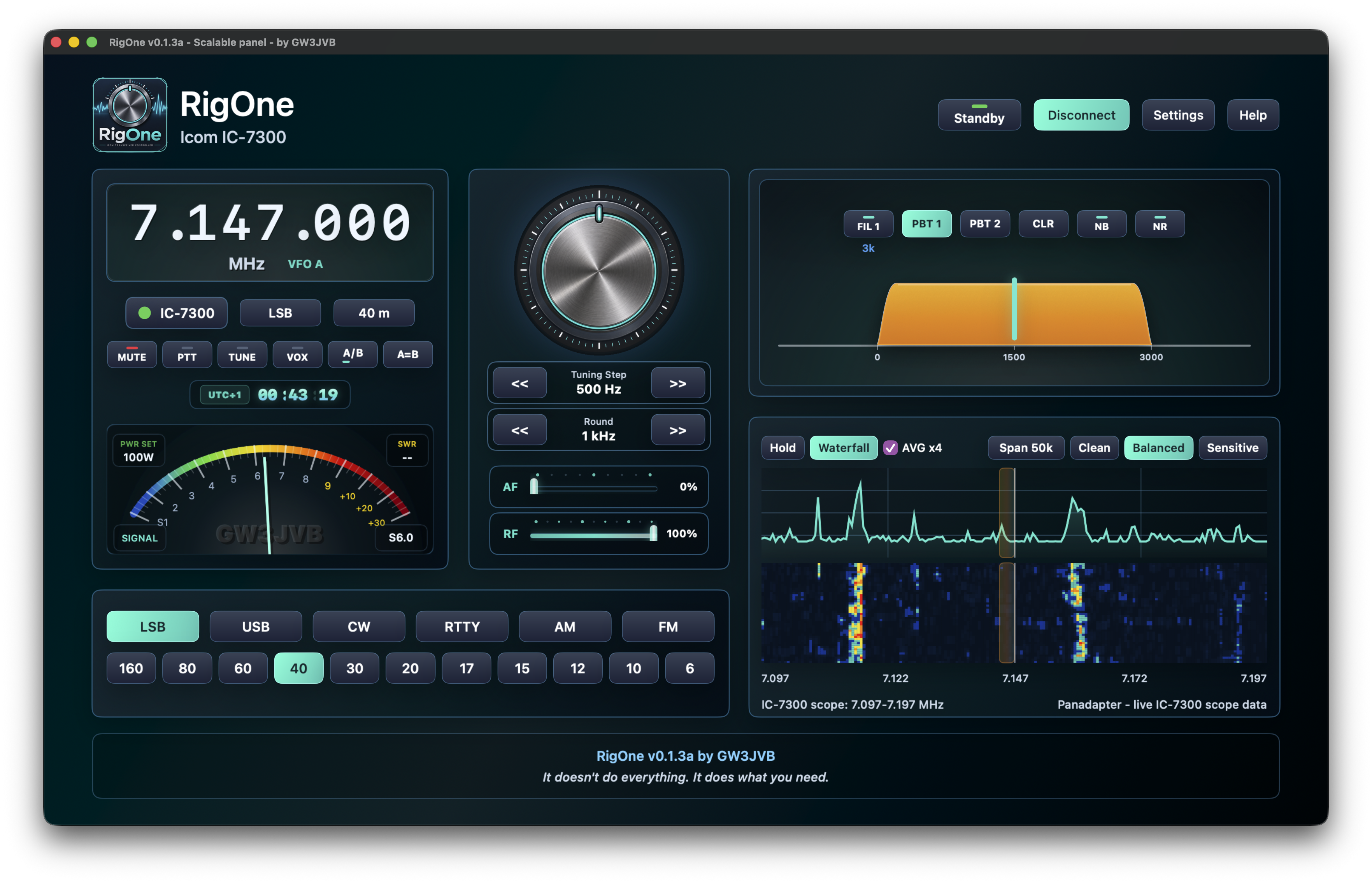
RigOne Focused panel layout with VFO controls, analog signal meter and waterfall

Focused layout

The main operating view, without the extra furniture.

The Focused layout keeps tuning, audio, signal, band and scope controls close at hand. Read or set the active frequency and mode, follow the radio VFO, use PTT, and keep an eye on signal strength without an overly busy screen.

The region-aware band display helps keep the operating context visible while you move around the bands.

Compact layout

A narrow control surface when space is at a premium.

Compact mode gives RigOne a smaller footprint while keeping the useful operating controls available. It is ideal alongside other station software, or simply when you prefer a tidy desktop.

RigOne Compact panel layout with a narrow radio control surface
RigOne settings panel with CI-V address and panel layout options

Settings

Make the control path your own.

Choose the COM port and baud rate, configure the native CI-V address, select your operating region, pick a panel layout, and decide whether tooltips are useful in your own operating style.

Hamlib support is included for broader radio compatibility. The available features depend on what each Hamlib backend exposes, so direct IC-7300 control remains the fullest RigOne experience. Feedback from operators using other Hamlib-supported radios is very welcome.

Hardware and compatibility

Clear about what is supported today.

RigOne is being grown carefully around real station use. Direct IC-7300 control is tested on a real radio and remains the fullest experience. Hamlib support is included for other radios, with available functions shaped by what each Hamlib backend and radio exposes.

Direct IC-7300 control

  • Windows 11
  • Tested with a real Icom IC-7300
  • USB/COM CI-V connection
  • Live IC-7300 scope data, panadapter and waterfall

Hamlib radio support

  • Included for broader transceiver compatibility
  • Verified with IC-7300 model 3073 and Yaesu FT-DX10 model 1042
  • Opens the door to wider transceiver compatibility
  • Feature availability depends on what each Hamlib backend exposes
  • Panadapter and waterfall remain unavailable where Hamlib does not expose live scope data
  • Operator feedback will guide the next expansion

Hamlib feedback wanted

Help shape the next radios RigOne supports.

Hamlib support is an encouraging compatibility expansion. If you use a non-IC-7300 Hamlib-supported radio, a quick report from a real station would be genuinely useful, whether everything works or not.

What to include

  • Radio make and model
  • Hamlib model number, if known
  • Connection method used
  • Anything that was missing or unavailable

Useful test results

  • Whether frequency read and write work
  • Whether mode read and write work
  • Whether PTT and mute/audio controls work
  • Any differences between direct control and Hamlib behaviour

Download RigOne

Download it. Install it. Connect your radio. Use it.

RigOne v1.1.10 is now publicly available. It adds Twin PBT and passband controls, real IC-7300 filter bandwidth reading, a live receive passband overlay, and a tidier RX Controls section. Download RigOne-Setup-v1.1.10.exe from the GitHub release page below.

Current testing: Direct IC-7300 support has been tested with a real radio. Initial Hamlib support has so far been tested using the IC-7300 Hamlib model. Reports from other Hamlib radio users are warmly welcomed.

Support development

Free to use. Supported by those who value it.

RigOne is a free, independent GW3JVB amateur-radio project, developed around real radio use in spare time. Discord is the preferred place for central support, feedback and shared testing notes; donations are never required, but they are appreciated and help support continued development.