GW3JVB GW3JVB Software

macOS scanner utility

Mac125

Latest version: checking...

A free macOS app for the Uniden UBC125XLT scanner, written because I wanted a straightforward Mac tool for reading, editing, backing up and writing scanner memories.

Mac125 connects to the scanner over USB and gives you a desktop app for the jobs that are awkward to do directly on the radio. It is built for macOS and currently has downloads for both Apple Silicon and Intel Macs.

Mac125 logo
ScannerUniden UBC125XLT.
PlatformmacOS, Apple Silicon and Intel.
Latestv0.4.0 on GitHub.

What it does

Scanner programming without leaving macOS.

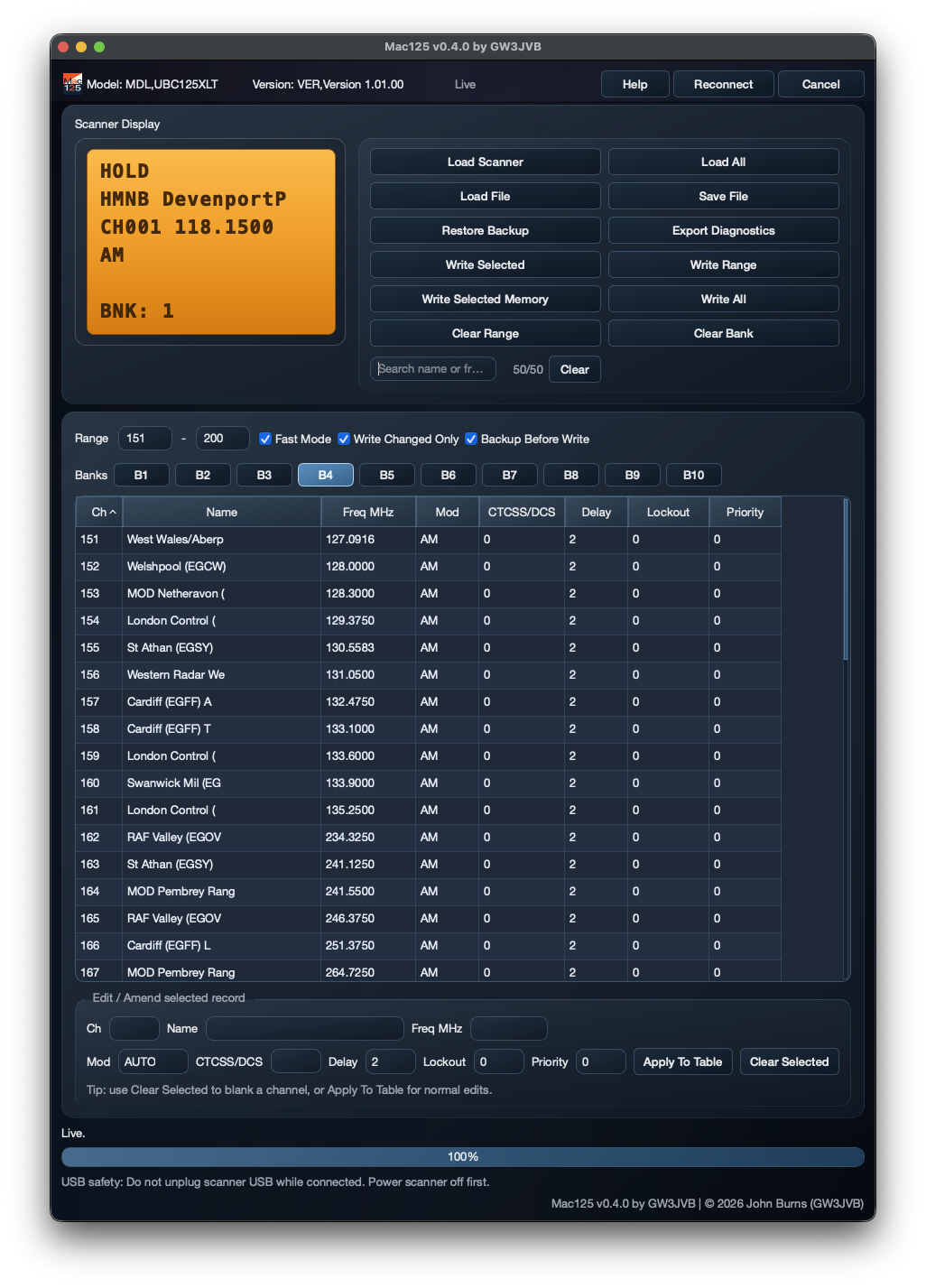
Mac125 is intended to be practical rather than complicated: connect the scanner, load the memories, make changes, and write them back when you are ready.

Read and write the scanner

  • Connect to the Uniden UBC125XLT over USB
  • Read scanner memories into the app
  • Write selected channels or larger ranges back
  • Designed for normal scanner-management work

Edit and organise

  • Edit channel names and frequencies
  • Work with scanner banks
  • Clear selected channels or ranges
  • Search and check what is currently loaded

Backups and files

  • Load and save scanner data files
  • Create backups before writing changes
  • Restore from a previous backup
  • Export diagnostics when something needs checking

Why I made it

A small Mac app for a scanner I actually use.

I could not find the sort of native-feeling macOS utility I wanted for the UBC125XLT, so Mac125 became one of those “I wonder if I can build this” projects.

It is free to use, developed in spare time, and shared in the hope that it helps other scanner users who prefer working from a Mac.

USB safety note: do not unplug the scanner while it is connected and being read from or written to. Power the scanner off first if you need to disconnect it.
Mac125 app screenshot

Installation overview

Choose the right Mac download.

The GitHub release includes separate downloads for Apple Silicon and Intel Macs. Pick the one that matches your machine.

Download Mac125 from GitHub Use the latest release page and choose either the Apple Silicon or Intel build, depending on your Mac.
Open the app on macOS If macOS Gatekeeper warns that the app is from an unidentified developer, use the usual macOS Open Anyway route in System Settings.
Connect the scanner Connect the UBC125XLT by USB, then use Mac125 to load, edit, save and write scanner memory data.

Original blog post

The original Mac125 blog page has extra background, screenshots and notes from the first public versions.

Support development

Feedback and testing are very welcome.

Mac125 is a spare-time GW3JVB project and is free to use. If it helps you, donations are appreciated but never required. Reports, suggestions and real-world testing are just as useful.