Live spot list
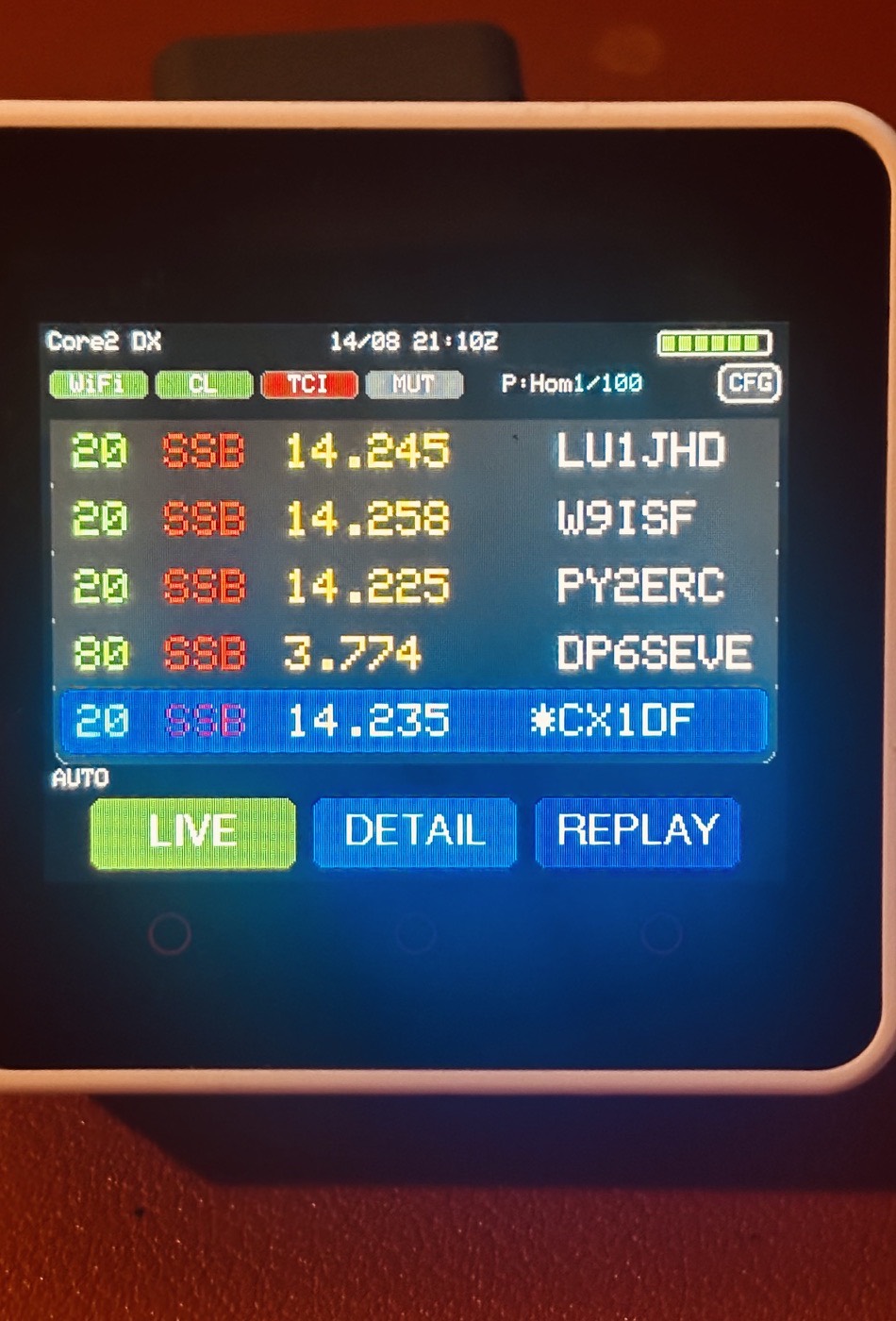
- Shows incoming DX Cluster spots in a compact list
- Keeps local spot history for browsing
- Auto mode stays at the live edge
- Manual browsing for older and newer spots
M5Stack Core2 radio project
Latest version: checking...
A small touch-screen DX Cluster companion for the M5Stack Core2, built around the sort of radio desk job where a dedicated little display is handier than another window on the computer.
The device connects to a Telnet DX Cluster, keeps a local spot history, shows list and detail views, and can send selected spots over TCI so Thetis can tune or rebuild spot overlays.
What it does
The idea is not to replace a full logging or cluster application. It is a focused little device: glance at recent spots, open a detail view, filter what matters, and send a useful spot to the radio when needed.
Screens
These are real photos from the device rather than polished mockups, which feels right for a hands-on radio bench project.
Incoming spots are shown in a large, glanceable list with status indicators across the top and quick LIVE, DETAIL and REPLAY actions.
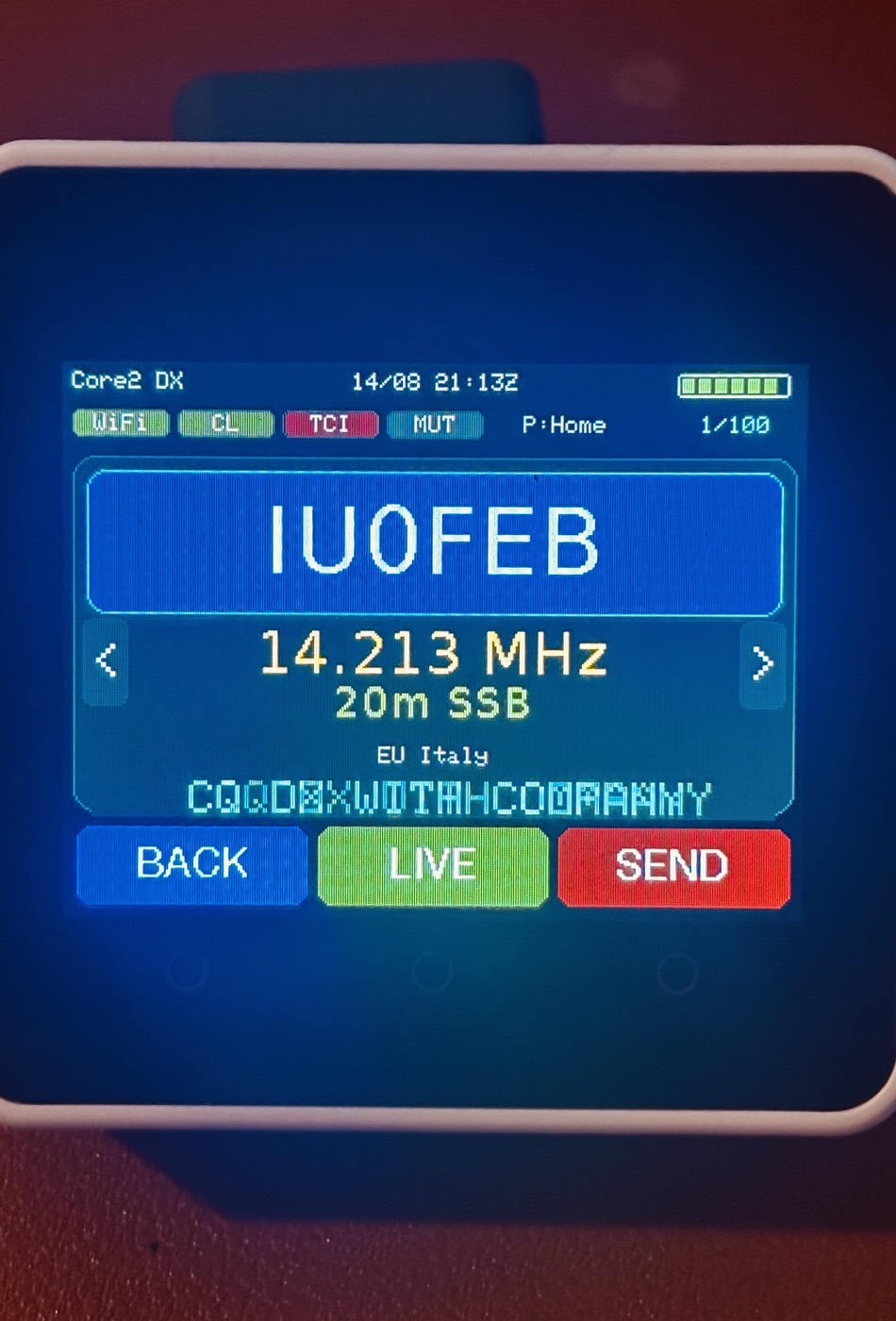
The detail view gives the selected call more room, including frequency, band, mode, region, comments, and a SEND action for TCI.
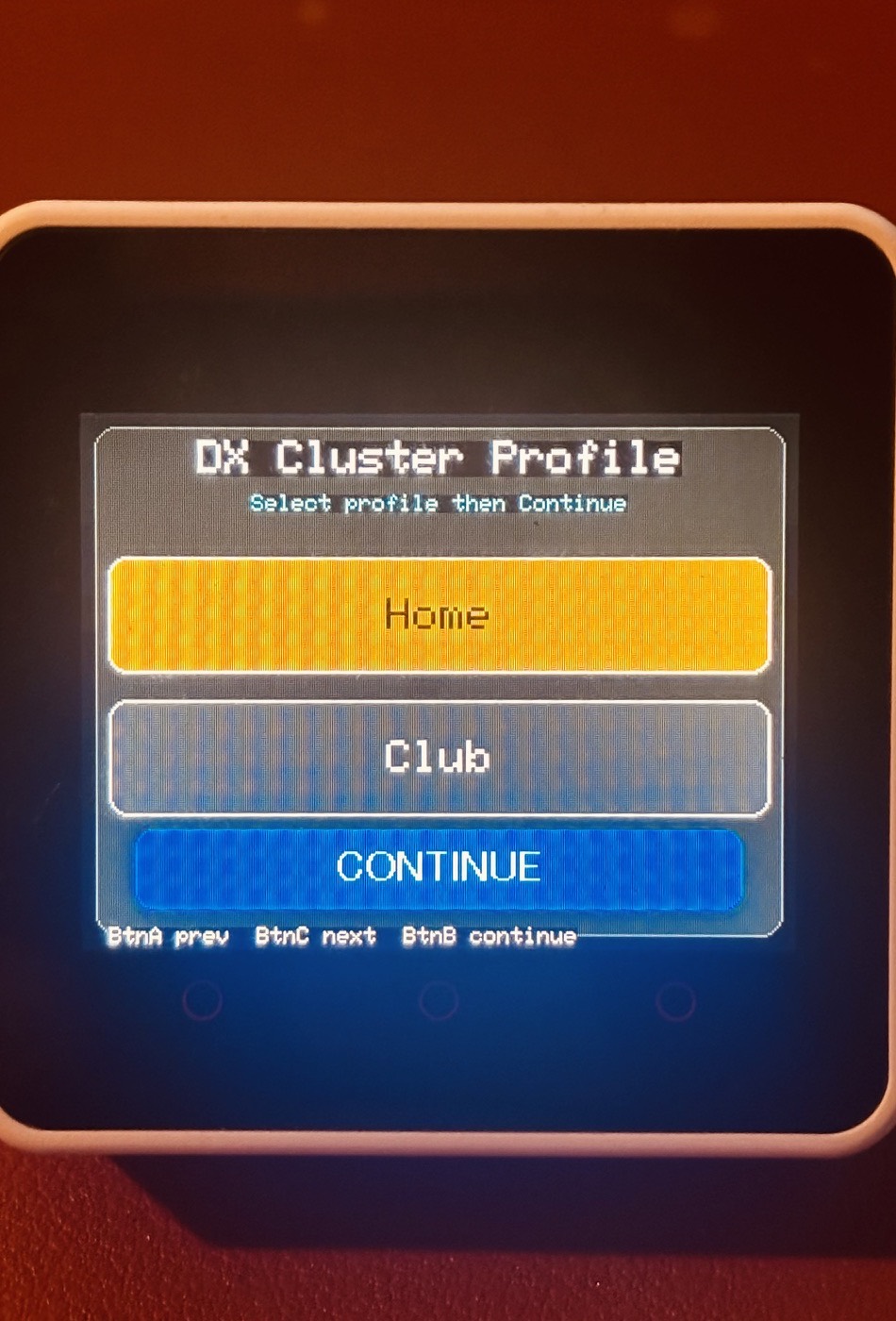
Pick between two saved profiles at startup, useful when moving between different Wi-Fi networks, clusters, or radio-control setups.
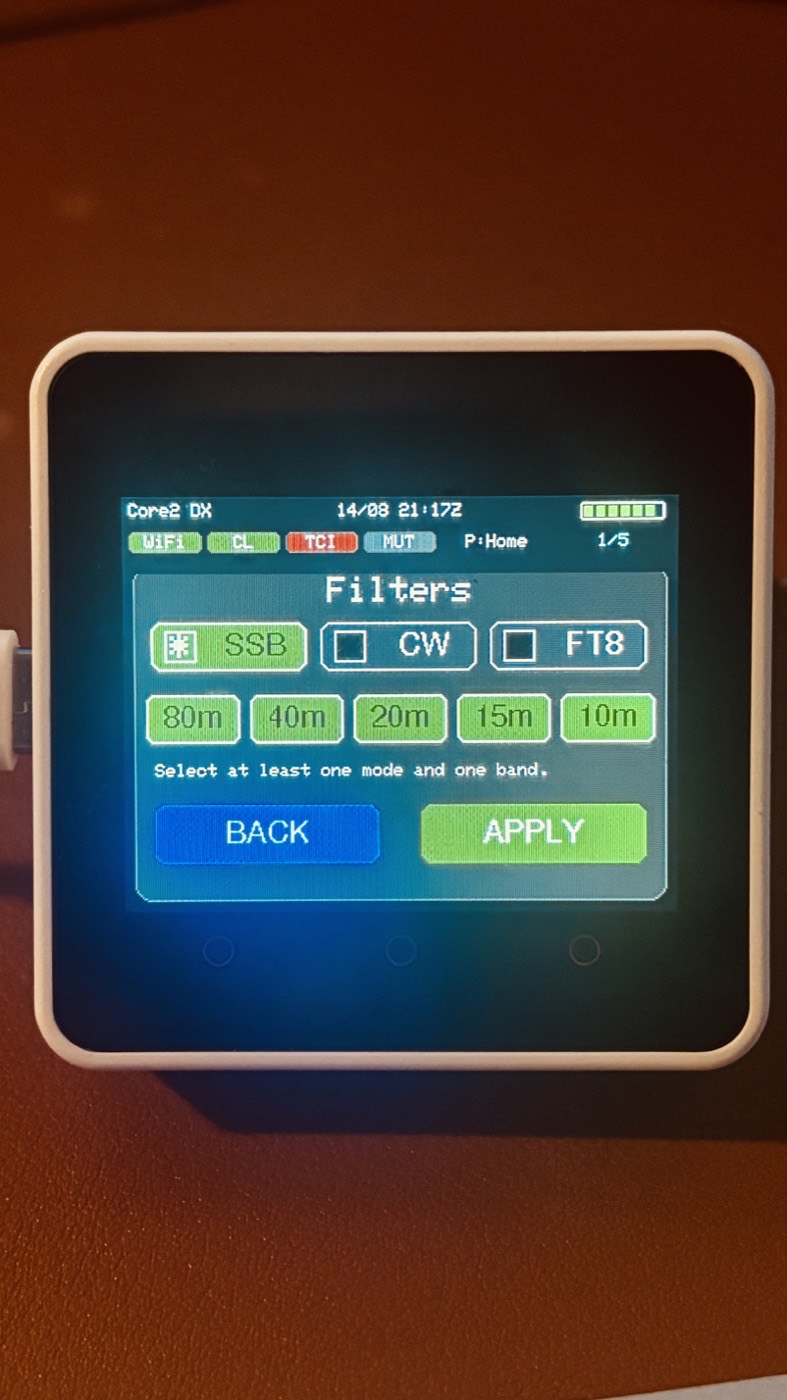
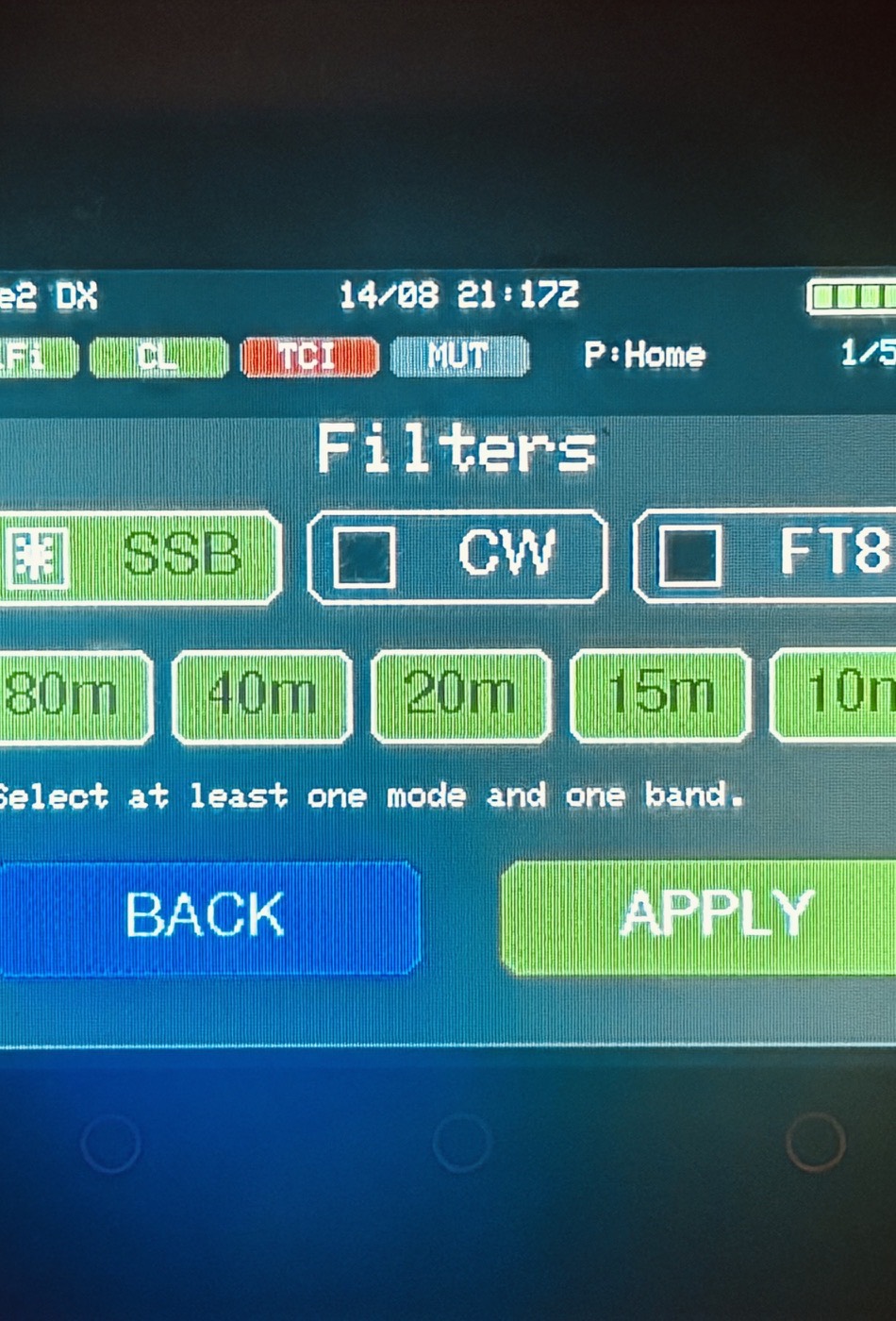
Simple on-screen filters keep the display focused on the modes and bands you actually want to watch.
First-time setup
This is still a maker-style project rather than a one-click installer. The important thing is keeping personal Wi-Fi, cluster and TCI details in local config files, while the example templates remain safe to share.
Workbench notes
This sits firmly in the GW3JVB “I wanted this on my own radio desk” category. It is a free project, built to be useful, understandable, and easy to iterate as more station ideas appear.
The project also keeps the backend logic separate from the Core2-specific screen and input code, which should make future hardware variations easier to explore.
Support development
M5Core2 DX Cluster is a spare-time GW3JVB radio project. If you build it, adapt it, or test it with your own Thetis setup, real-world notes are exactly the kind of feedback that helps.