
I’ve been an Apple user for many, many years, moving to macOS and away from Windows based PCs way back in 2006 with the purchase of my first Apple PC – the classic white Macbook. And the reason for the shift… music!
My other hobby, well one of them, is making ambient and chill-out stuff by messing with and programming synthesisers. I have four of them, but that’s maybe for another blog post. What has that got to do with the ever popular Uniden125 scanner you may ask. Well, I love a challenge and heck, over the years I’ve heard and responded to ‘Nope, can’t do that on a Mac’ enough times to reply with ‘hold my beer..’ while I proceeded to demonstrate all things macOS to those who are not so familiar.

Unfortunately, this happens quite regularly in what is probably our joint hobby – Amateur Radio, but there’s always a way to do the things Windows users are able to do, in macOS. Well, maybe not quite always – because there’s one piece of hardware that since I bought mine back in 2022, I’ve never managed to find macOS software for it… that of the Uniden UBC125XLT.
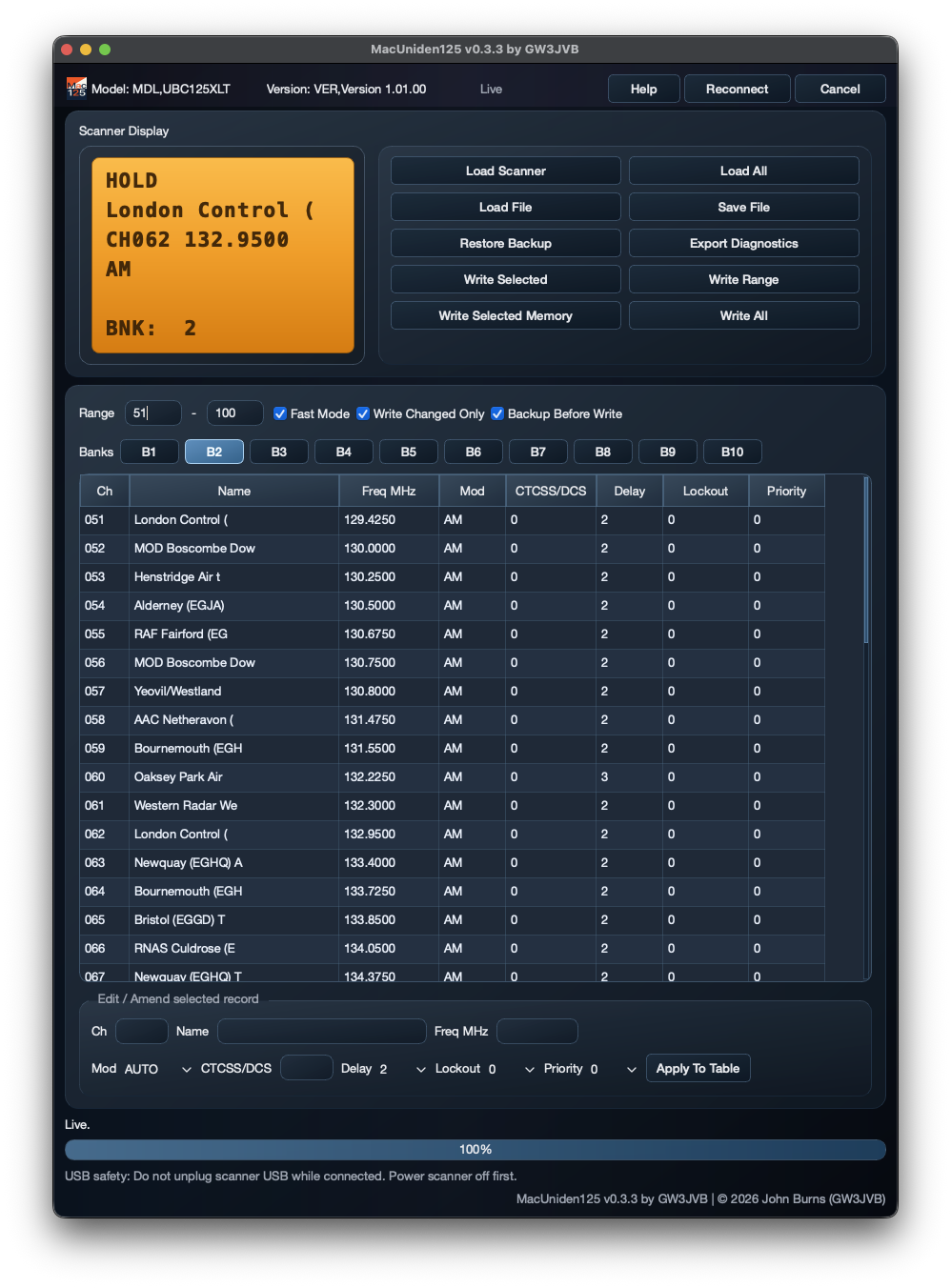
There’s several very good Windows apps available, but none readily available for macOS… so, I decided it was time once again to… ‘hold my beer’, and see what I could come up with. The result is what you see at the top of the page – my Mac125 app for programming / reading and writing to the Uniden UBC125XLT scanner.
It’s still in development just now – should be ready soon, and quite the challenge it is proving to be, too. I am not sure of the exact reason why no app for this excellent scanner has appeared for the Apple ecosystem, but I do know that serial ports and macOS can be the source of many a sleepless night. When connected to a USB port with the correct data + power cable, and on power up, the app attempts to communicate with the scanner directly over USB using standard system support, so it doesn’t rely on a special serial‑port driver I.e. using USB Bulk Endpoints.
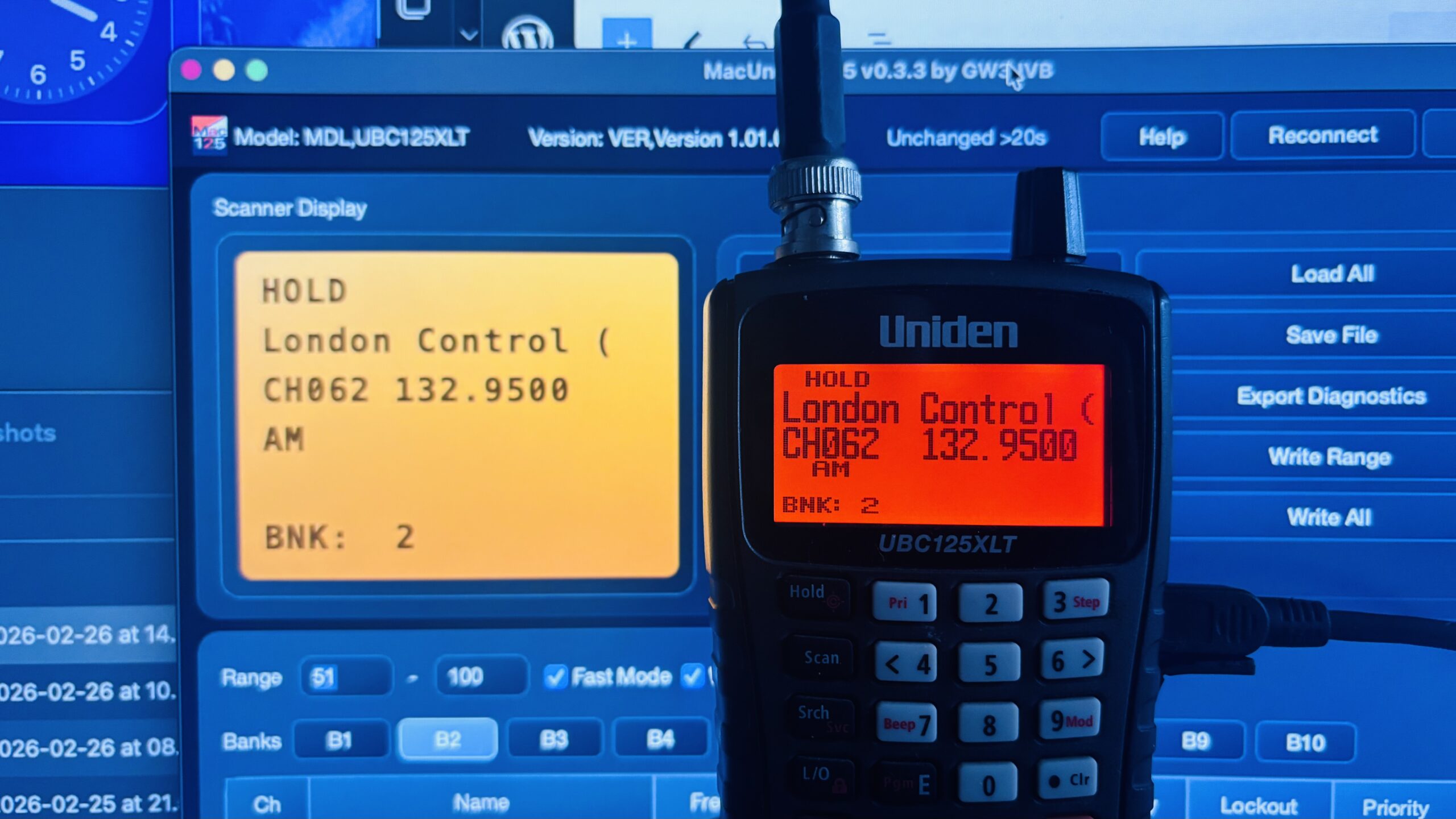
Once a connection is established, it is then held in the live state, meaning the app is then able to update the emulated display to show pretty much exactly what is being shown on the device itself – all in real-time.
If you change the channel or mode (scan / search etc) on the scanner, the emulated display in the app display follows straight away – though at the moment this is only a one-way process. I may look to implement bi-directional live updates in a future release – though that doesn’t come without contention issues.
Individual scanner banks can be loaded, or in fact, any range of channels can be loaded, amended then re-written back to the device. I’ve also implemented full reads and writes of the entire 500 channels, though this can take several minutes, as well as backup and restores in the event of any loss of source data. A progress bar along the lower part of the screen shows read/write status.
There are a few known issues that I am presently working on, e.g. re-connecting if the direct comms connection is lost or broken. When this happens, macOS often marks that particular port as unusable for the current session for that device – meaning that sometimes a restart is required. The connection is pretty stable and as long as care is taken not to unplug the USB cable from the port or the device whilst the unit is powered on, there are no issues. I’ve drafted a roadmap with ideas like copy/paste rows, CSV import/export, and setup wizards—what I implement will depend on demand and how much the community wants it.
Well there you go, that’s my little Mac125 app, and is the result of another ‘hold my beer…‘ moment. I am only a home-hobby coder, and by no means an experienced developer or coder, so it would be nice to be able to get a little return for my efforts. With that in mind I am undecided on a donate/payment model for this yet, it is likely to be free but perhaps with write limitations, not sure yet, would appreciate any thoughts you may have – I will listen!.
I’ll be looking to release it on GitHub within the next week or two (currently it is late February 2026). I’ve also added a category for the app on my Discord server for info, support and community chat if you’re interested (and also just in case the app does get used by more than just me!) you can find the link here – https://discord.gg/pcKzgJsg2U. I will respond if anyone joins and wants to know more about the app – or in fact any of the other macOS apps I am having a go at.
Many thanks for reading, and please can I also ask that if you found this interesting or if you think someone you know would like to know about it, please could you help spread the word. Finally, please let me know what you think… either on Discord, or email: gw3jvb at gmail dot com, I’d be happy to hear from you.
73 – GW3JVB.